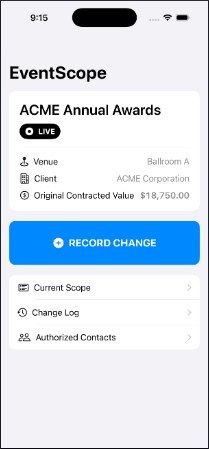
Event scope changes, revision history, and role-specific decisions
THE BUSINESS PROBLEMWhen an event request changes, how can each stakeholder see what they are deciding on?
RESULT & STATUSA local native application prototype with change history and distinct AV, financial and technical decision records.
I used my production experience to define scope-change requirements and review how approvals apply when the price, scope or responsible person changes. How I build and review →
Live production work involves changing requirements and several kinds of authority. I shaped this product around the difference between a requested change, its price, and the decisions required for that particular version.
My decisions
Tie decisions to the exact revision
A decision for an earlier amount or scope should stay in history, not silently satisfy the new request.
Keep authority distinct
Represent AV scope authorization, financial approval and technical acknowledgement separately.
Show unresolved conditions
A pending price, missing eligible approver or declined decision needs a visible explanation.
Explore the workflow
A changed scope needs decisions on that revision.
Start with a reviewed $250 change, then create a $400 revision. Compare a financial decision alone with the complete set of decisions for the new revision.
Interactive controls are unavailable until this example loads. The complete annotated example is below.
Interactive example · Fictional dataLocal native prototype
Sample conference
Alternate monitor configuration
This technical override carries an advisory to review the changed configuration. The scenario requires an AV lead, a client budget owner with a $500 limit, and a client technical requester.
Decisions apply to the exact change and revision. Earlier decisions stay in history.
Simulation controls
Interactive example · fictional data. Choices stay on this page and reset on reload or when you select Reset example.
Role decisions are simulated. No event personnel are contacted and no real change is authorized.
The interactive example couldn’t continue. Read the annotated example or reload to reset.
Read the annotated example
Revision 1 · $250
AV lead: Authorized Budget owner: Approved Technical requester: Acknowledged
All three decisions apply to revision 1.
Revision 2 · $400
AV lead: Pending Budget owner: Pending Technical requester: Pending
Revision 1’s decisions remain in history and do not satisfy revision 2.
Recording finance alone leaves AV and technical decisions pending. Recording all required decisions completes the current set. If finance declines, recording the other roles preserves that decline; the example cannot claim all required approvals are satisfied.
The project materials below show the requirements, decisions and workflow behind this case. Interactive examples use fictional data.
Exact-change and exact-version matching
The prototype checks that each decision belongs to the current change and revision. Earlier approvals remain in the history, while a revised request needs decisions for that new version.
Evidence: EventScope change decision evaluator and decision record models.
A technical acknowledgement has a specific trigger
Technical acknowledgement is required for a technical override with an advisory. The portfolio scenario intentionally selects that condition, so all three roles have a reason to appear. It does not imply every ordinary event change requires the same three decisions.
Evidence: Original requirement evaluator and the approved technical-override scenario.
EventScope demonstrates applying production knowledge to a software workflow and a traceable handoff. Real-event adoption, App Store release and production approval operations have not been verified.